
The chart reflects the growth of a hypothetical $1,000 in a given investment over time or it reflects the growth of minimum investment. The index is equal to $1,000/min. investment at inception. Subsequent month-end values are calculated by multiplying the previous month’s VAMI index by 1 plus the current month rate of return.
The VAMI chart always starts a month before the first entered month. Without this rule we wouldn’t be able to calculate VAMI if only data for a single month are available.
- It is possible to show a second data series in the form of bars.
- This chart can visually separate backtested and live data. For more information please see how to set up live a trading period in this topic.
Chart’s adjustments
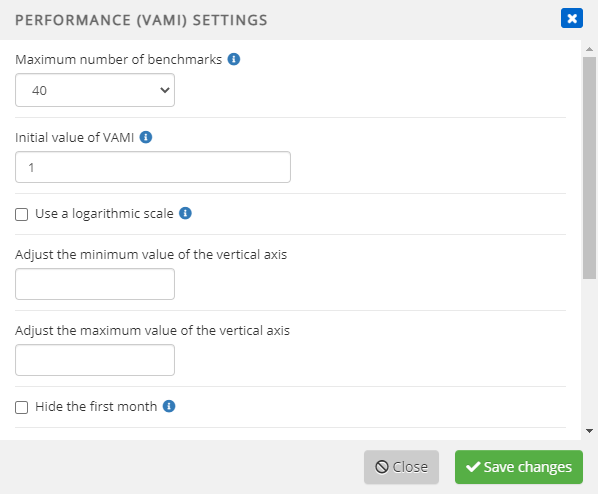
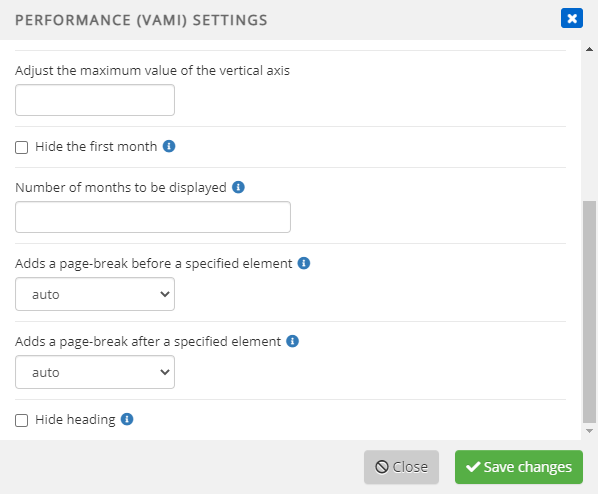
Mouse-over the chart and click “edit settings” icon to adjust:
- How many benchmarks are displayed
- Initial value of VAMI
- This changes initial value of VAMI
- use of logarithmic scale for data which grows exponentially
- min. and max. values of the vertical axis
- visibility of first month data
- monthly returns period – number of months displayed in the chart
Continue your fund reporting workflow
This feature supports consistent fund performance reporting and automated factsheet updates. Continue with Add and configure statistics and Fund factsheet production software.