
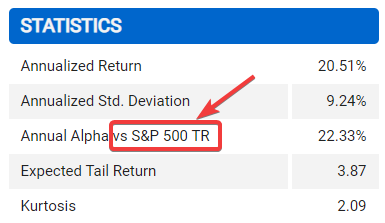
It is possible to show benchmarks names in statistics table.
Setup dynamic labels
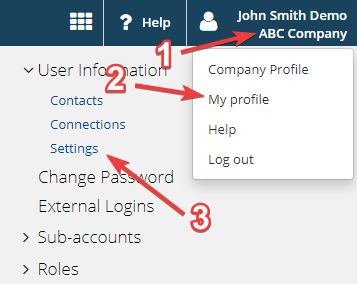
1. Click on your profile
2. Click My profile
3. In User Information click Settings
4. Tick the checkbox

5. Click Save
Continue your fund reporting workflow
This feature supports consistent fund performance reporting and automated factsheet updates. Continue with Add and configure statistics and Fund factsheet production software.