

Monthly fund factsheet production is a repeatable process, but that does not make it risk-free. The same data must be collected, transformed, checked, placed into the right template and approved on a tight schedule. When several funds, share classes, languages or distribution formats are involved, even a small manual inconsistency can affect multiple reports.
The objective is not to remove people from the process. It is to give them a controlled workflow in which routine checks happen consistently and reviewers can focus on exceptions, context and final accountability. The following approach can help small and mid-sized asset managers reduce avoidable errors without turning monthly reporting into a large technology project.
Why factsheet errors repeat every month
Many reporting errors are symptoms of the workflow rather than isolated mistakes. A spreadsheet may be copied from the previous month, a calculation may depend on a manually updated range, or several versions of a template may circulate by email. Each step can work most of the time while still leaving room for an old value, missing share class or unapproved wording to reach the final document.
Time pressure makes these weaknesses more visible. If source data arrives late, the team has less time to investigate unusual returns, reconcile totals or check every output. Adding another reviewer at the end can catch some problems, but it does not correct an uncontrolled process upstream.
Where errors enter the reporting workflow
Source data and spreadsheets
Monthly reporting often combines data from accounting systems, portfolio systems, administrators and manually maintained files. Problems begin when files use different dates, identifiers, currencies or units. A complete file can still be wrong for the reporting period, while a correctly formatted file can omit a fund or share class.
Basic checks should therefore cover both validity and completeness. A value may be numeric and still be implausible; a file may pass a format check and still fail to include every expected record.
Calculations and benchmarks
Performance, risk statistics and benchmark comparisons introduce another layer of dependencies. Inconsistent return series, missing observations, incorrect inception dates or changed benchmark mappings can alter the result. Calculations also become harder to control when formulas are copied between workbooks or maintained differently for individual funds.
Manual copying and template changes
Copying values into a presentation or desktop-publishing template creates opportunities for transposed numbers, stale commentary and formatting drift. Template changes create similar risks: a legal disclaimer may be updated in one version but not another, or a chart may point to the wrong field after a layout revision.
Review, versioning and distribution
A correct report can still be mishandled after production. Ambiguous file names, parallel review copies and unclear approval status make it difficult to identify the final version. Distribution should use the approved output, not simply the most recently modified file.
A practical error-reduction workflow
Define ownership and the data cut-off
Start by documenting who provides each input, which reporting date applies and who can approve an exception. The cut-off should be explicit: all performance, holdings, benchmark and text inputs need a defined period and delivery deadline. This prevents a late file from silently replacing already reviewed data.
Standardize inputs
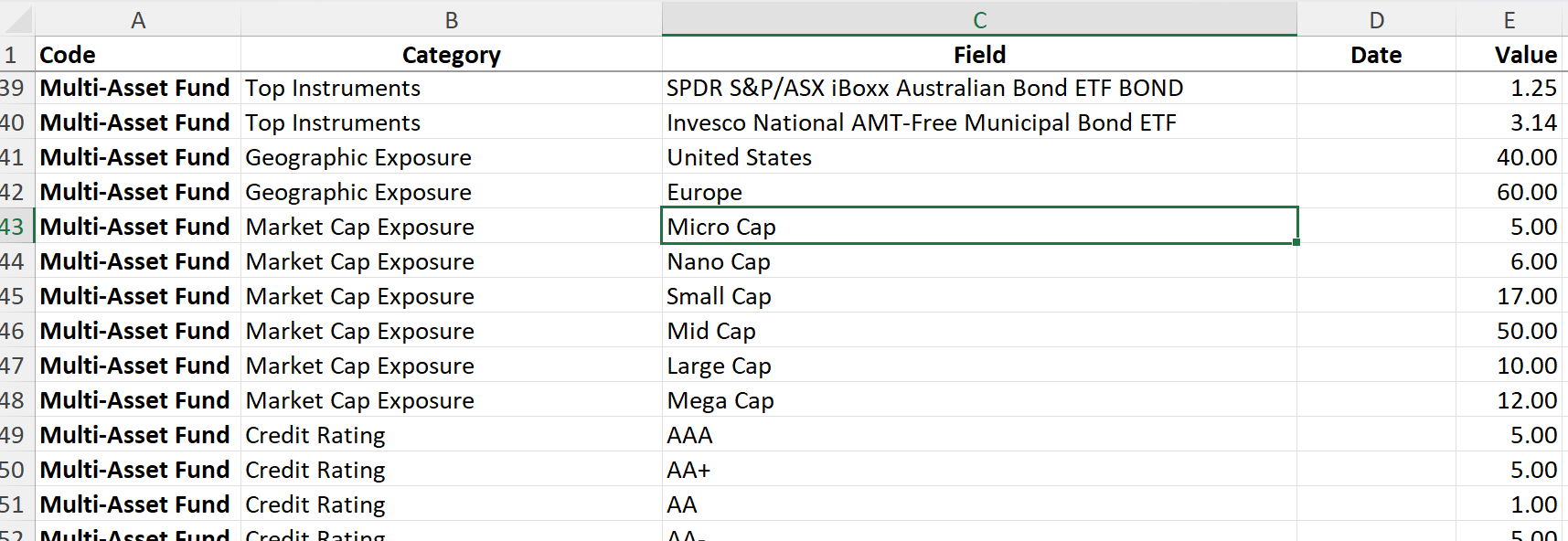
Use stable fund and share-class identifiers, predictable file structures and agreed units. Standardization does not require every source system to be identical. It requires a controlled mapping from each source into the reporting model, with changes reviewed rather than improvised during production.
Validate before processing
Run checks before data reaches the template. Useful controls include required-column checks, duplicate detection, expected-record reconciliation, date and currency validation, totals that reconcile to an agreed tolerance, and alerts for unusual period-on-period changes. Failed controls should produce a clear exception that can be resolved or approved; they should not be hidden by an automatic default.
For an example of validating structured inputs before upload, see Validate Fund Factsheet Data Before Importing. The Fundpeak Help Center also lists common data-import mistakes that are useful when designing pre-production checks.
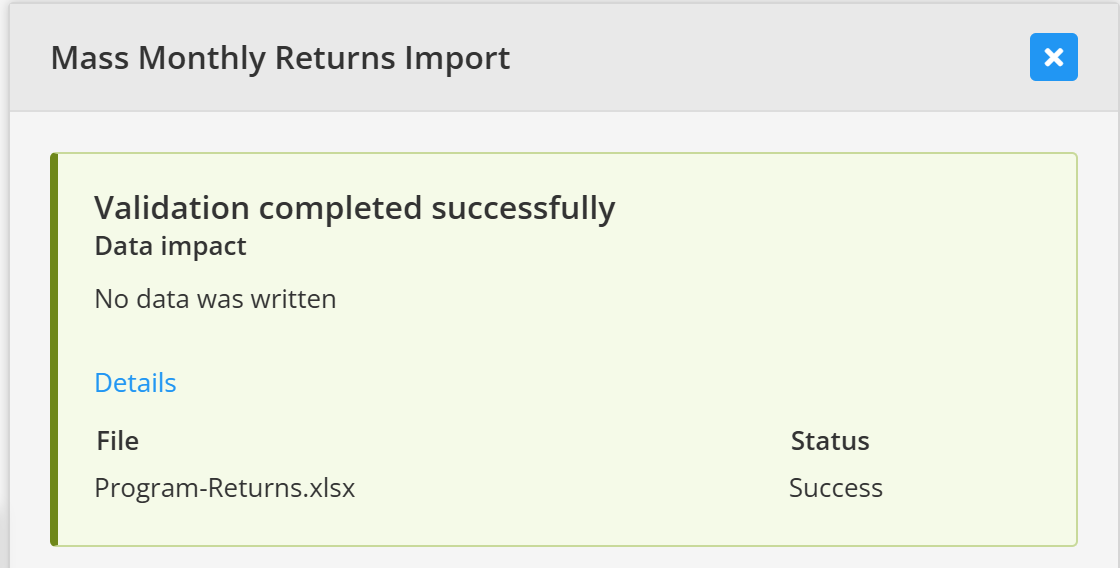
Pre-import validation checks the file without writing data to the reporting system. Automate repeatable transformations and calculations
Once inputs are controlled, automate the deterministic work: mapping identifiers, applying approved calculation rules, refreshing charts and tables, and generating repeated language or share-class variants from the same governed source. Keep the calculation method and dependencies visible so an exception can be traced back to its input.
Control templates and recurring text
Maintain approved templates centrally and record who can change them. Reusable disclosures, investment objectives and standard commentary should have a clear source and revision history. When a template changes, test it with representative funds, long labels and missing-data scenarios before using it for the full reporting run.
Introduce structured approval checks
Separate preparation from approval where practical. Reviewers should see which validations passed, which exceptions were accepted and what changed since the previous period. A concise review checklist is more reliable than asking someone to inspect every page without knowing where the risks are.
Archive the final version and its inputs
Store the approved output together with the reporting date, source-file references, template version and approval record. A controlled archive makes corrections easier to investigate and provides a reliable starting point for the next cycle without treating last month's document as an uncontrolled template.
What small and mid-sized managers should automate first
The best first target is usually a frequent, rules-based step that consumes time or causes recurring corrections. Prioritize work that is performed across many funds and can be verified objectively, such as:
- checking that all expected funds, share classes and periods are present;
- validating file structure, identifiers, dates, currencies and numeric fields;
- reconciling totals and highlighting material period-on-period changes;
- refreshing standard performance tables, charts and disclosures;
- producing consistent variants from an approved template; and
- applying clear file naming, approval status and archive rules.
Highly judgmental work should remain with the appropriate specialist. Commentary, unusual market events, legal interpretation and the final sign-off need context that a rules engine cannot supply. Automation is most valuable when it makes those decisions easier to see and document.
Monthly fund factsheet production checklist
A short checklist can turn the workflow into a repeatable control. Adapt the following points to the responsibilities and regulatory obligations of your firm:
- Confirm the reporting date, scope and expected funds or share classes.
- Record the source and delivery time of every required input.
- Validate completeness, format, dates, identifiers, currencies and units.
- Reconcile key totals and investigate unusual movements.
- Confirm benchmark mappings, calculation periods and approved methodologies.
- Generate reports from the current approved template and recurring text.
- Compare material changes with the previous published factsheet.
- Resolve or explicitly approve every exception.
- Complete content, compliance and final-release review.
- Archive the approved files, inputs, template version and approval record.
Consistency without removing human review
A reliable monthly process combines automated controls with accountable review. Software can apply the same mappings, calculations and template rules across every report, surface missing or unusual data and generate outputs without repeated copying. People can then concentrate on whether the result is reasonable, the explanation is clear and the document is appropriate for its audience.
This is also the distinction between simply digitizing a manual process and improving it. Moving an uncontrolled spreadsheet workflow into another tool will not solve unclear ownership or weak approval rules. Define the controls first, then use automation to apply them consistently.