
Some factsheet tables and charts can display data from another program or from an assigned benchmark instead of using only the current program's data.
Prepare the data source
Make sure that the source program or custom benchmark exists and contains the required data. If a benchmark will be used, assign it to the target program first.
Select the source in Template Editor
- Open the target template in the Template Editor.
- Select the table or chart and open Edit Settings.
- If the control provides a data-source setting, select the required program or benchmark.
- Save the template and check the report preview.
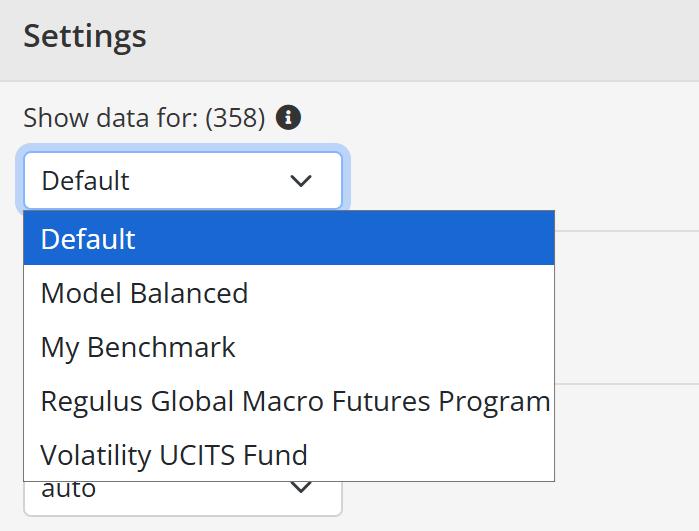
The available source settings depend on the selected control. If the control does not provide a source option, that use is not supported by the standard control and may require a different control or a custom template.
A template change affects every program using that template. See Add benchmarks, Template Editor, and Program and template adjustments.
Continue your fund reporting workflow
Use this guidance when configuring a reusable fund fact sheet template and its design. Continue with Factsheet template customization and Fund factsheet production software.