
The GIPS Report table combines annual performance, risk, portfolio, and asset information for a program.
The report can display:
- Annual Returns for the program and selected benchmarks,
- 3-Year Standard Deviation for the program and selected benchmarks,
- Composite Dispersion,
- Number of Portfolios,
- Composite Assets,
- Firm Assets.

Report settings
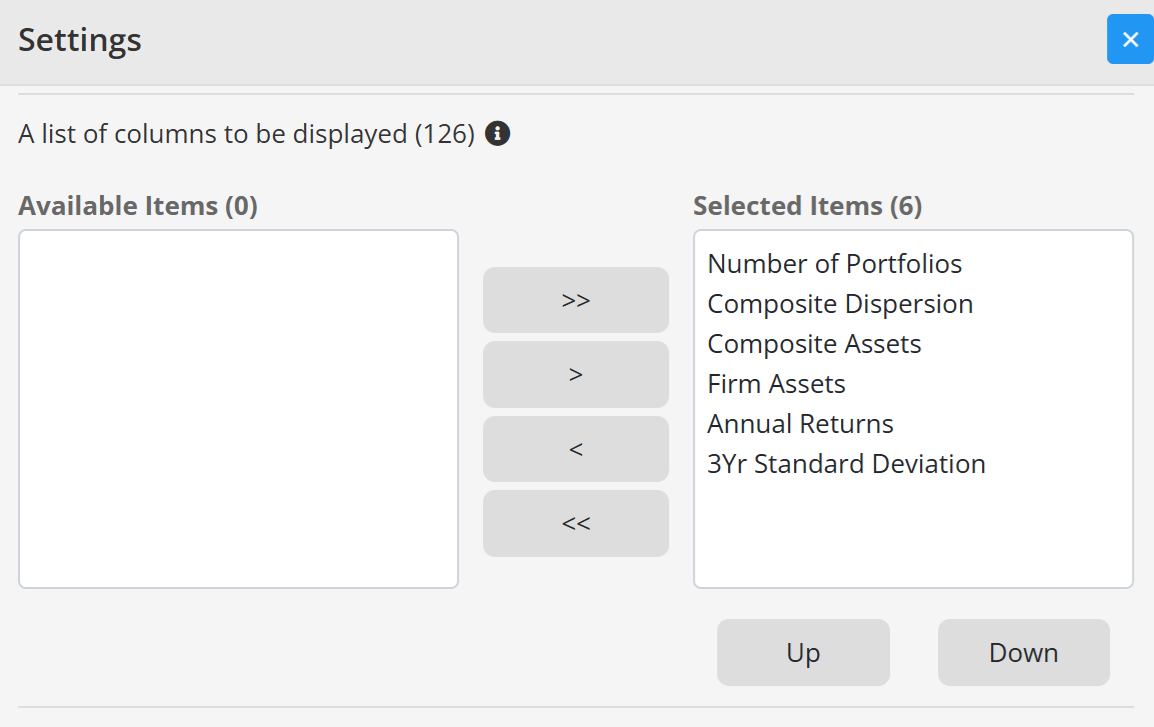
By default, the report displays the last 10 years. In Edit settings, you can change the number of years, choose which columns are displayed, arrange their order, and select benchmarks for Annual Returns and 3-Year Standard Deviation.
If a value is not available for a particular year, the remaining report data can still be displayed.
Related topics
Add and configure statistics
Dynamic labels for benchmark statistics
Continue your fund reporting workflow
This feature supports consistent fund performance reporting and automated factsheet updates. Continue with Fund factsheet production software and Contact Fundpeak.