
There is a portfolio tool available on our portals. Please note that only programs added to watchlist are available in the tool. If you plan to work with an existing program which is already publicly listed, go straight to points 5. and 6.
1. Log-in
Please login in order to access the dashboard.
2. Create programs
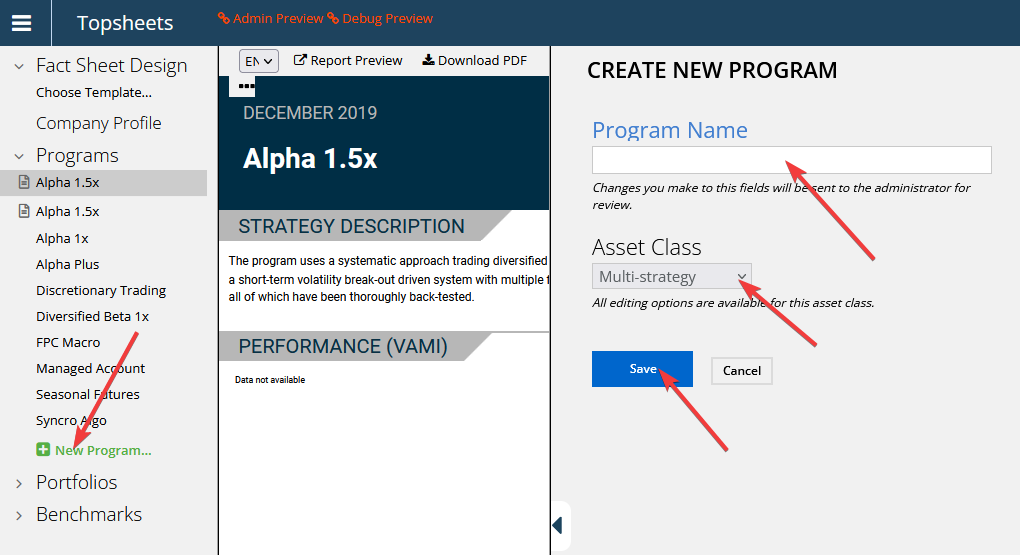
New programs are created by the clicking the “new program” link. They can also be created using the mass-import tool, see point 3. for more information.
3. Enter or upload the data
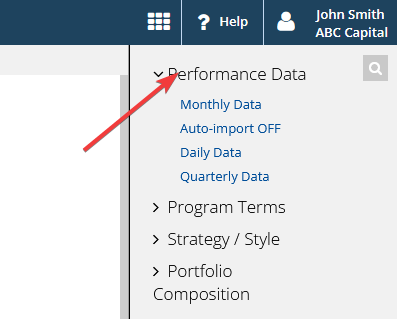
Performance data can be manually entered under or imported from an excel file. Please see Uploading monthly performance data for more information.
4. List programs in the database
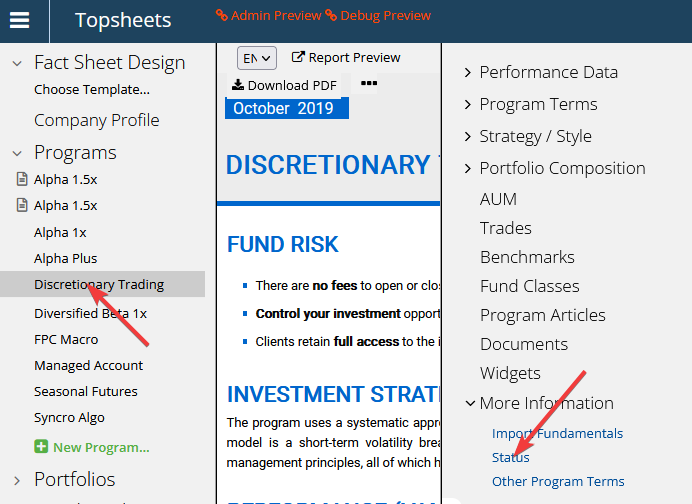
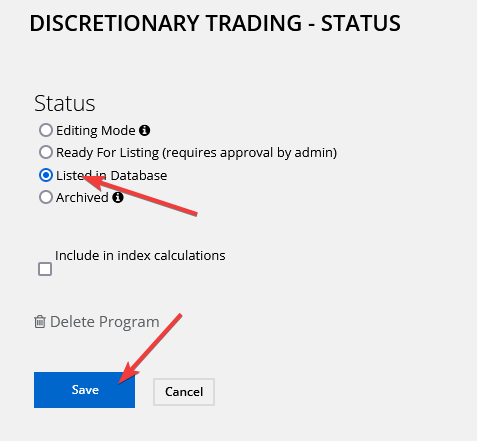
To publicly list a program, change it´s status to “Listed in database” and click save. Please send us an email, if you would like a program to be listed for admin users only (internal only).
5. Add program to watchlist
Click add to watchlist at the program´s detail page.
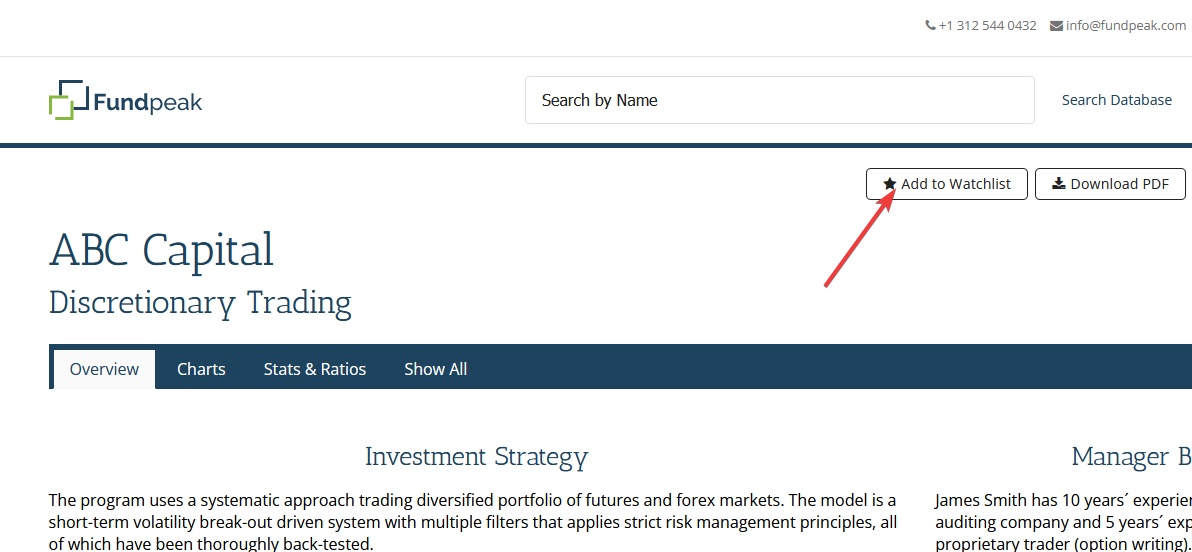
6. Add program to portfolio
Once a program is added to watchlist it will be available in the portfolio tool.