
Any custom tearsheet template can now be duplicated directly from the Custom Templates section.
Duplicating templates can be useful when:
- creating a variant with small adjustments
- experimenting with layouts or settings in a safe copy
- sharing or collaborating with your team
How to duplicate a custom tearsheet template
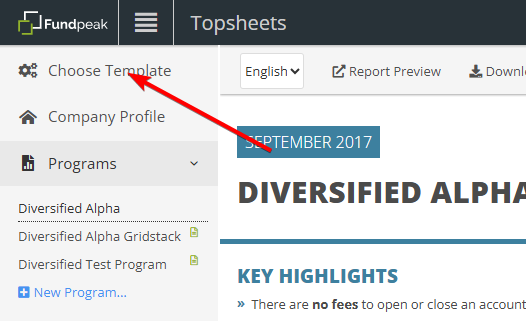
1) Click Choose Template to access your templates.
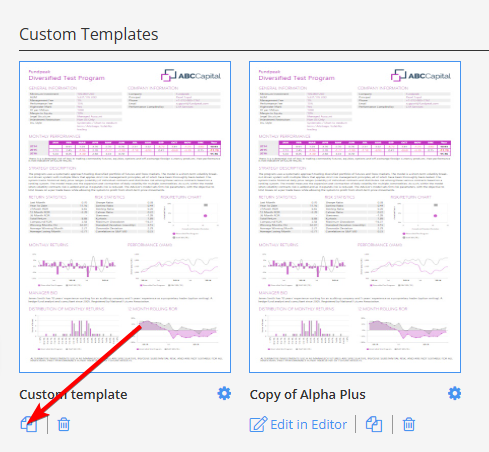
2) In the Custom Templates section, find the template you want to copy.
3) Click the Copy Template icon.
4) A new copy will appear in your template list, ready to edit.
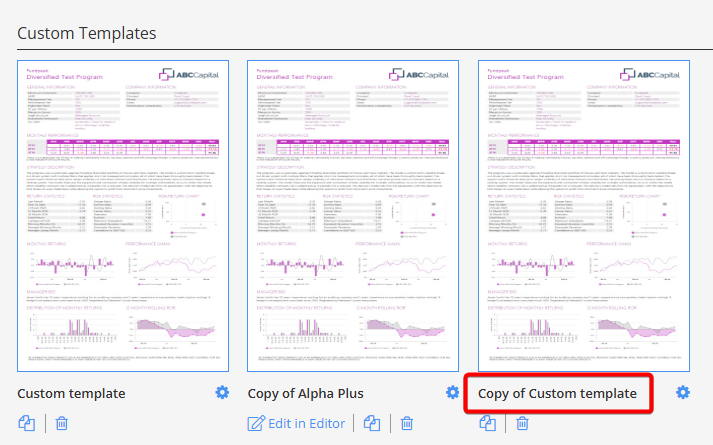
That’s it! You now have a fully independent copy of your template that you can modify as needed.