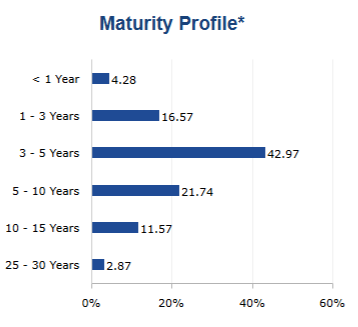
Use Portfolio Duration to record how a portfolio is distributed across maturity buckets and display the distribution in a factsheet.
Enter duration data
- Select the relevant program.
- Open Portfolio Composition / Duration.
- Enter the percentage for each applicable maturity bucket.
- Save your changes.
Available buckets are 2, 3, 4, and 6 months; individual yearly buckets from 1 through 20 years; 25, 30, and 35 years; and Others.
The Duration section is available for Bonds and other supported asset classes. If the section is not shown, check the program’s asset class.
Display duration in a factsheet
In Template Editor, add a Duration table or Duration chart. Open the control settings to configure the available display options.